Asks before it changes anything
Allow once, allow for this chat, or deny. IT decides which tools may run at all.
Word · Excel · PowerPoint · Outlook
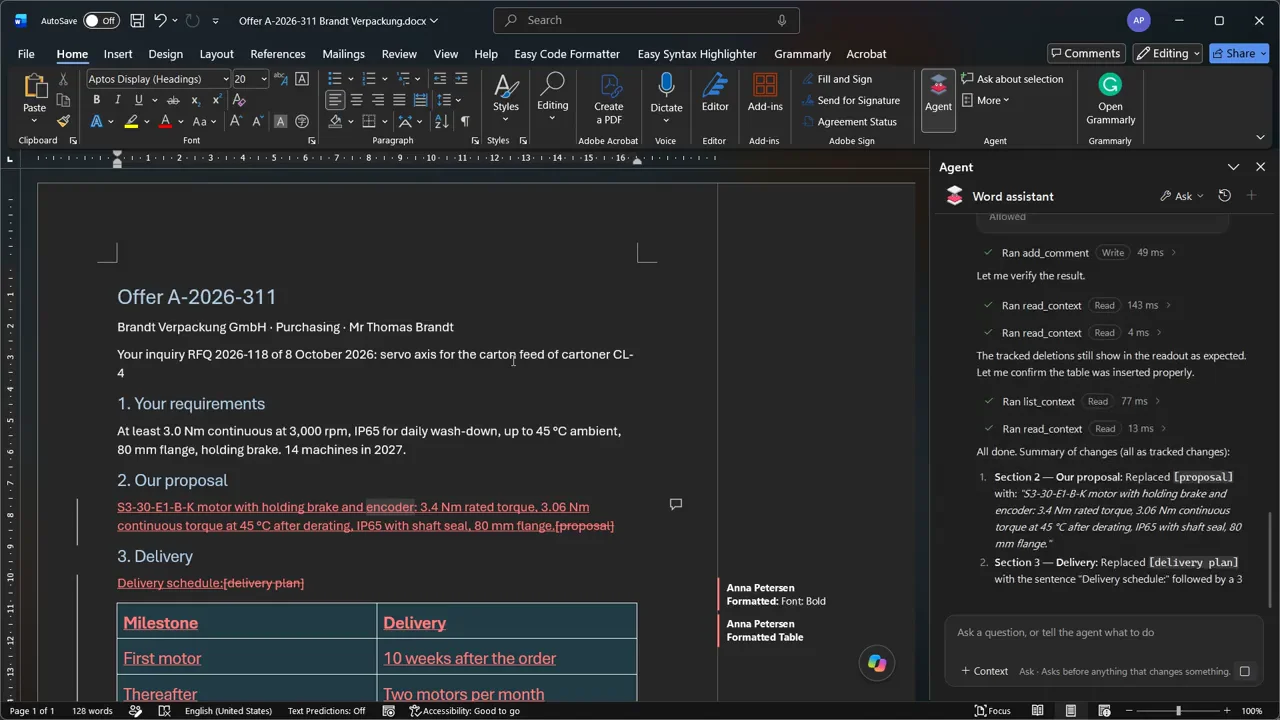
A task pane in Word, Excel, PowerPoint and Outlook that reads your selection and the document, and works with the app's own tools. Edits arrive as tracked changes, and nothing changes until you allow it.
Coming soon
Word, Excel, PowerPoint and Outlook share one Fadenstack account.
Allow once, for this chat, or deny, for every change.
Chats are stored encrypted, the sign-in is protected by Windows.
IT presets the server and the agents for every computer.
In each app
Each assistant knows its app: tracked changes in Word, cells and charts in Excel, slides in PowerPoint, drafts in Outlook.
Word
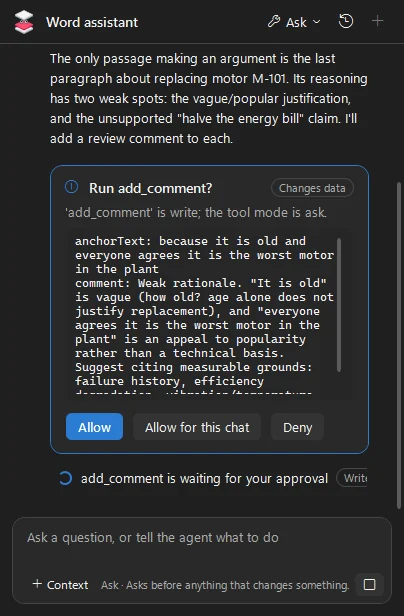
Edits arrive as tracked changes and remarks as comments, so you accept or reject each one.
Excel
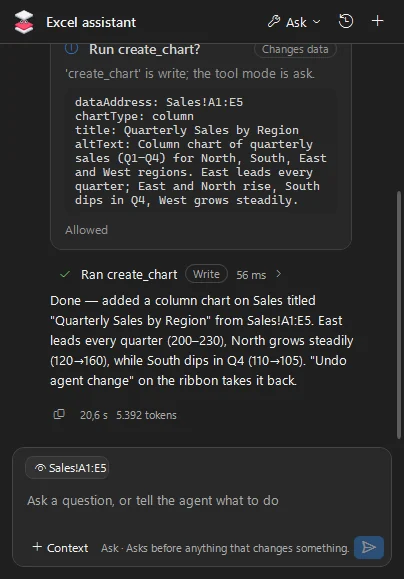
Reads and fills in cells and tables, and builds charts from your data.
PowerPoint
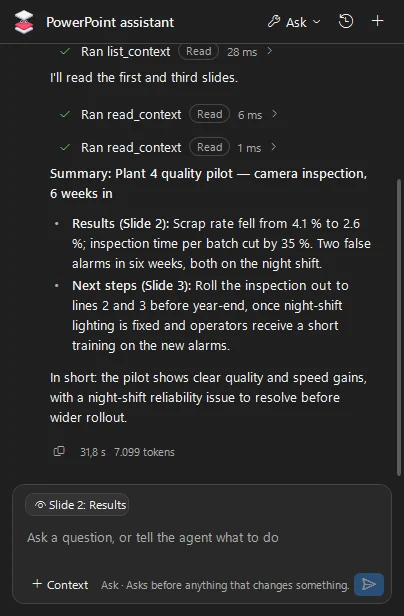
Summarises a deck, writes slides and drafts the speaker notes.
Outlook
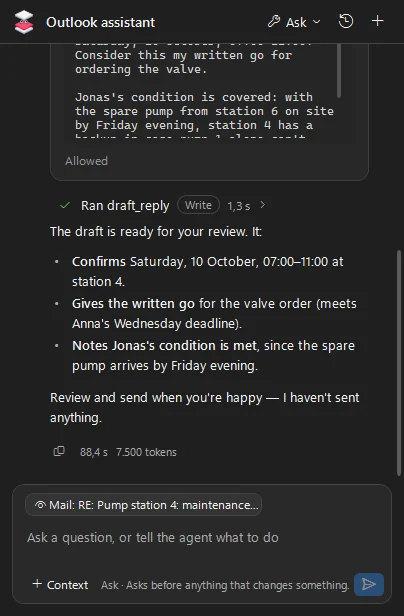
Reads the thread, drafts replies and creates appointments, and never sends anything itself.
See it work
From an inquiry in Outlook to the offer in Word, the figures in Excel and the slides in PowerPoint.
 1:40
The video plays from YouTube once you press play; nothing loads before.
Safe by design
The assistants work with your own permissions, on the server your organisation runs.
Allow once, allow for this chat, or deny. IT decides which tools may run at all.
Word and PowerPoint use their own Undo; Excel and Outlook have an Undo agent change button.
Chats are stored encrypted on the computer, and the sign-in is protected by Windows.
Your organisation decides who may use each assistant and which model answers.
One Fadenstack account covers all four apps on this computer.
The assistants' requests show up in your server's usage and audit log.
Download
Free to use, for Windows with the Microsoft 365 desktop apps.
The installer comes with the first release. IT can preset the server and the agents for every computer.
Questions
Yes, the Office agents are free to use. They talk to your organisation's Fadenstack server, never to us.
Not yet. The add-ins run in the Microsoft 365 desktop apps on Windows and in the classic Outlook.
Yes. The desktop agent can open a document and hand the work to the Word, Excel or PowerPoint assistant.
The Office agents come with the first release. Watch them work in the meantime.