Asks before it writes or clicks
In the default mode: once, or for the rest of the chat if you allow that.
Chrome
A side panel in Chrome that reads the page, your selection and your other tabs. It compares offers, finds the passage in a PDF and writes your reply into the web form, and it asks before it writes or clicks.
Coming soon
The page, your selection, other tabs and PDFs.
Opens the page a passage is on and marks it.
Before it writes or clicks, once or for the chat.
Your conversations stay on your computer.
What it does
Open it from the toolbar or with Alt+Shift+F. It works with the page in front of you and the tabs you have open.
Ask about the page
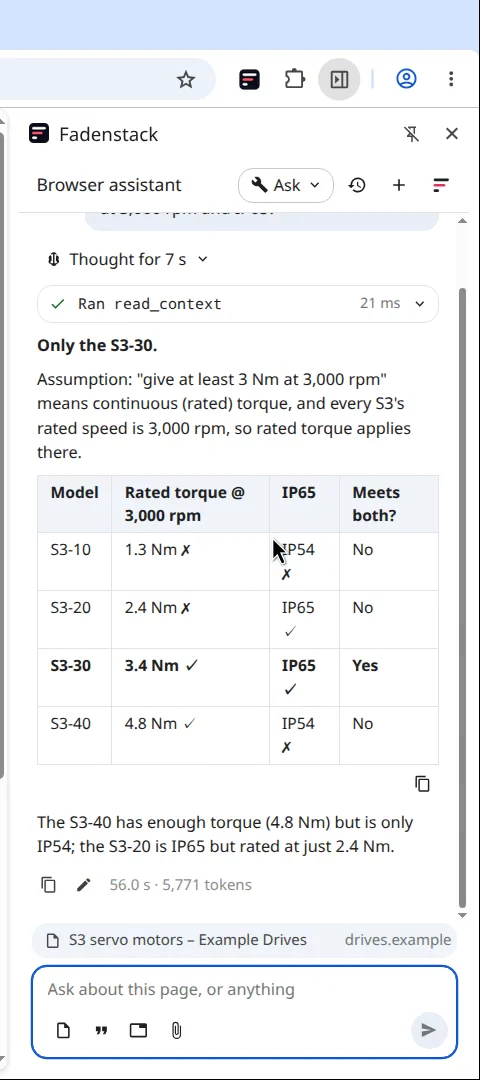
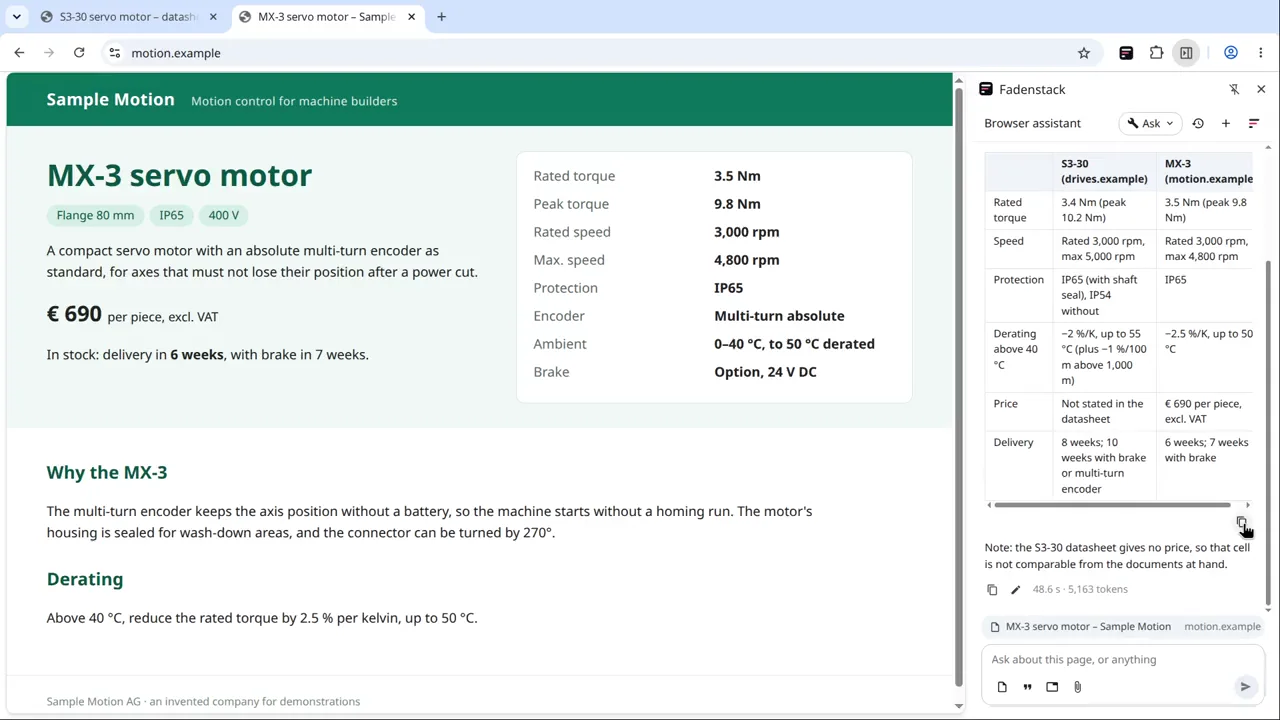
Ask which product fits your requirements, and the agent reads the page and answers with a table, saying what it assumed.
PDFs and sources
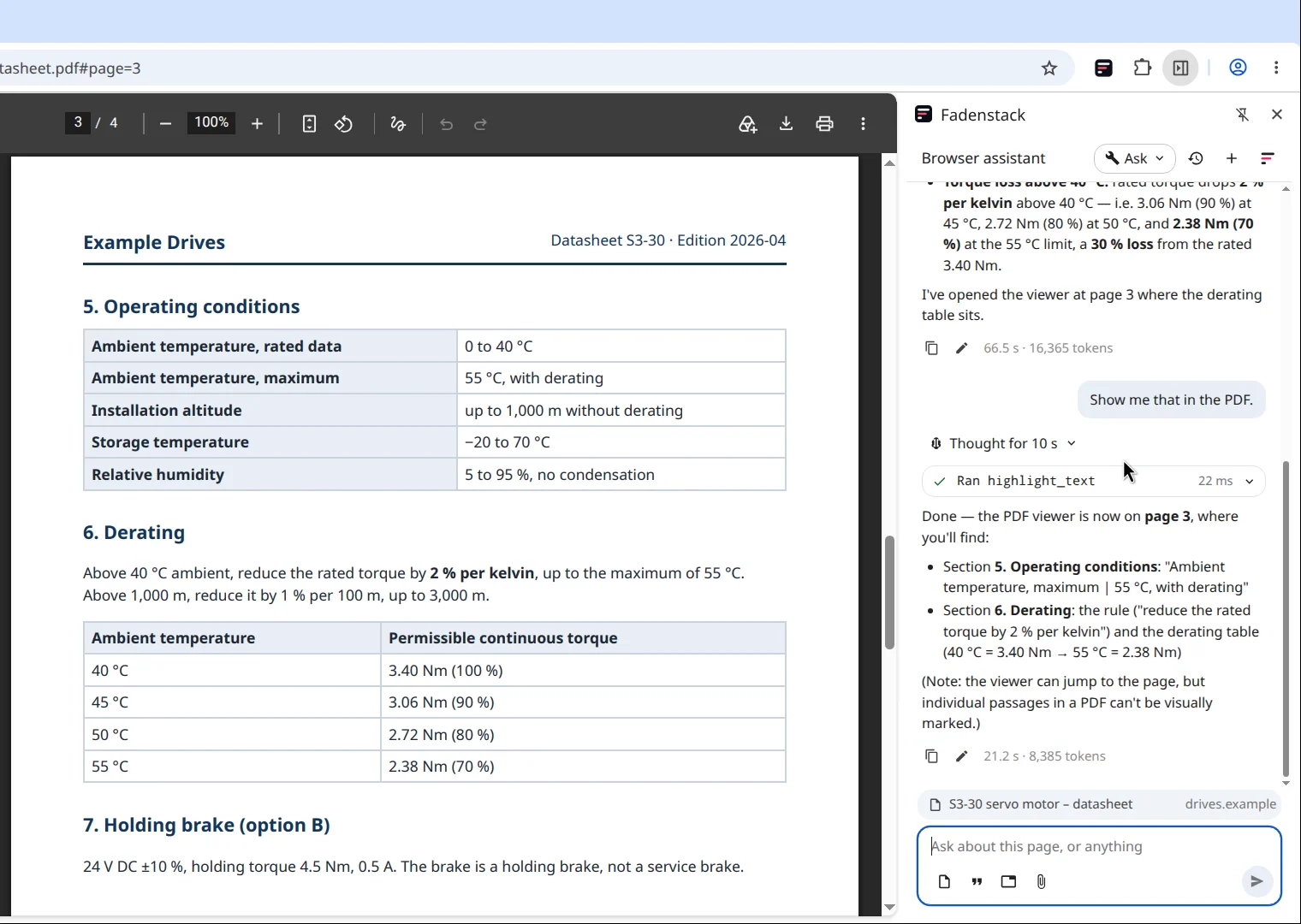
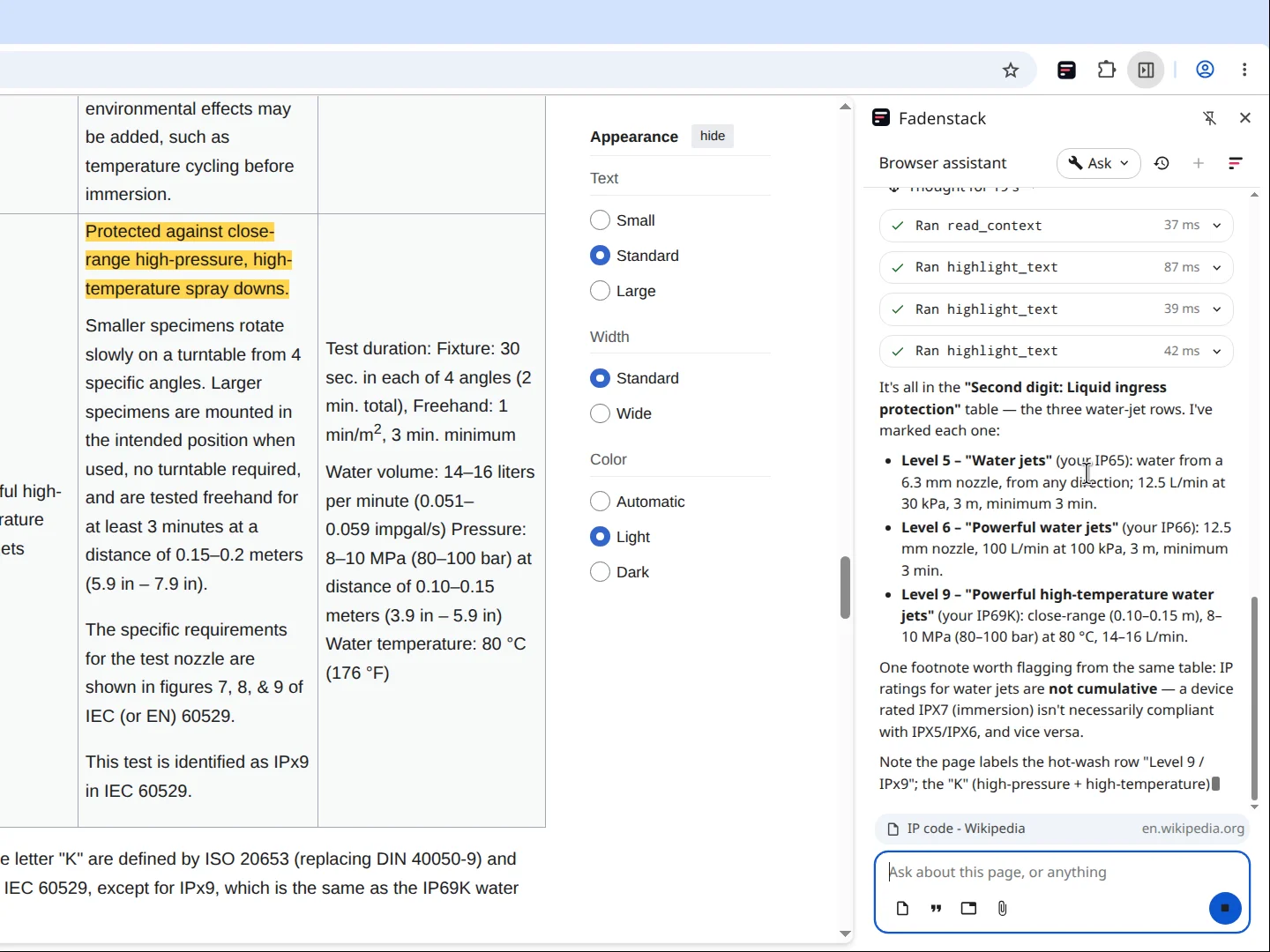
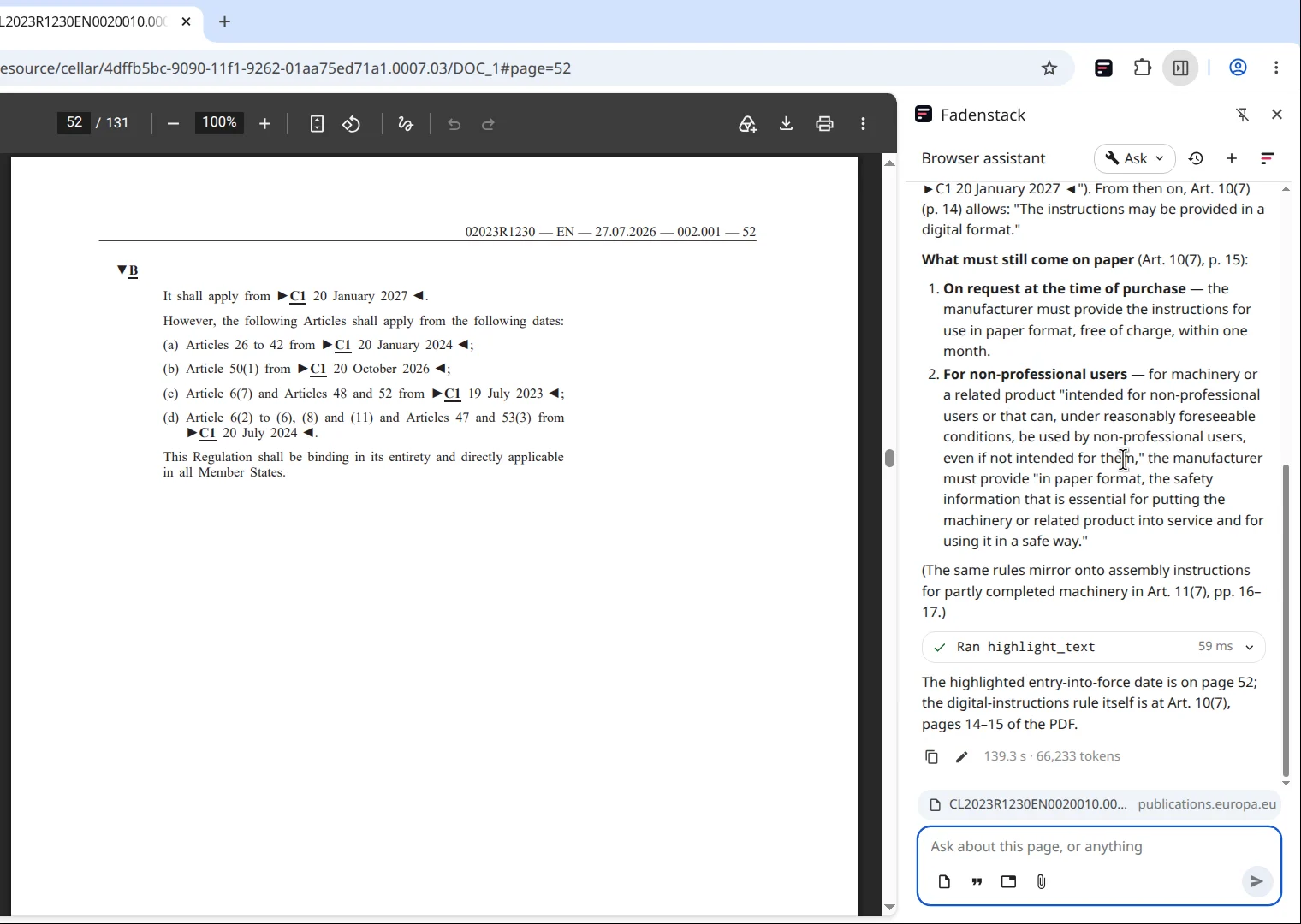
The agent reads PDFs in the browser and opens the page a passage is on. On a web page it marks the passages it used, so you can check them.
Write into the web
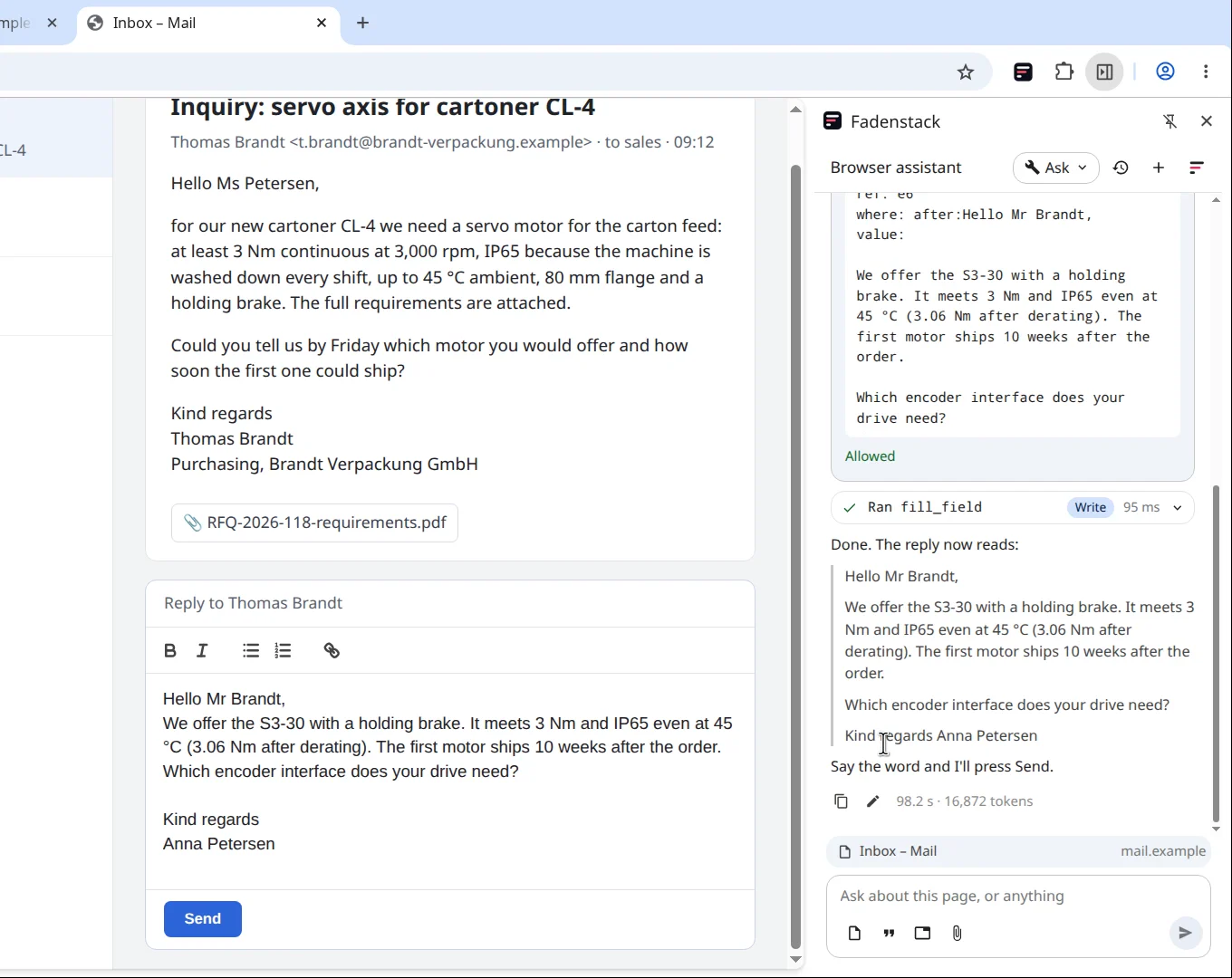
The agent drafts the reply and writes it into the web editor, after you allowed it. It fills in forms the same way, and leaves sending to you.
Long documents
Ask about a long regulation or contract, and the agent searches the document, reads the sections that matter and tells you where they are.
See it work
Comparing two suppliers, checking a datasheet and answering a customer, all from the browser.
 2:04
The video plays from YouTube once you press play; nothing loads before.
Safe by design
The agent works only where you allow it, and asks before it changes anything.
In the default mode: once, or for the rest of the chat if you allow that.
It never fills in password fields or fields marked for card numbers.
You allow it site by site.
Your organisation decides who may use the agent, which model answers and which tools it has.
The server keeps the usage and which tools ran, not your conversations.
Its requests show up in your server's usage and audit log.
Get it
Free to use, for Chrome 116 or later.
The Chrome Web Store listing is coming soon. IT can also install the agent for everyone by policy and preset the server address.
Questions
Yes, the browser agent is free to use. It talks to your organisation's Fadenstack server, never to us.
The page, tabs or text you ask about, when you ask, to your organisation's server and the model your organisation chose.
It is built for Chrome 116 or later.
The browser agent comes to the Chrome Web Store soon. Watch it work in the meantime.