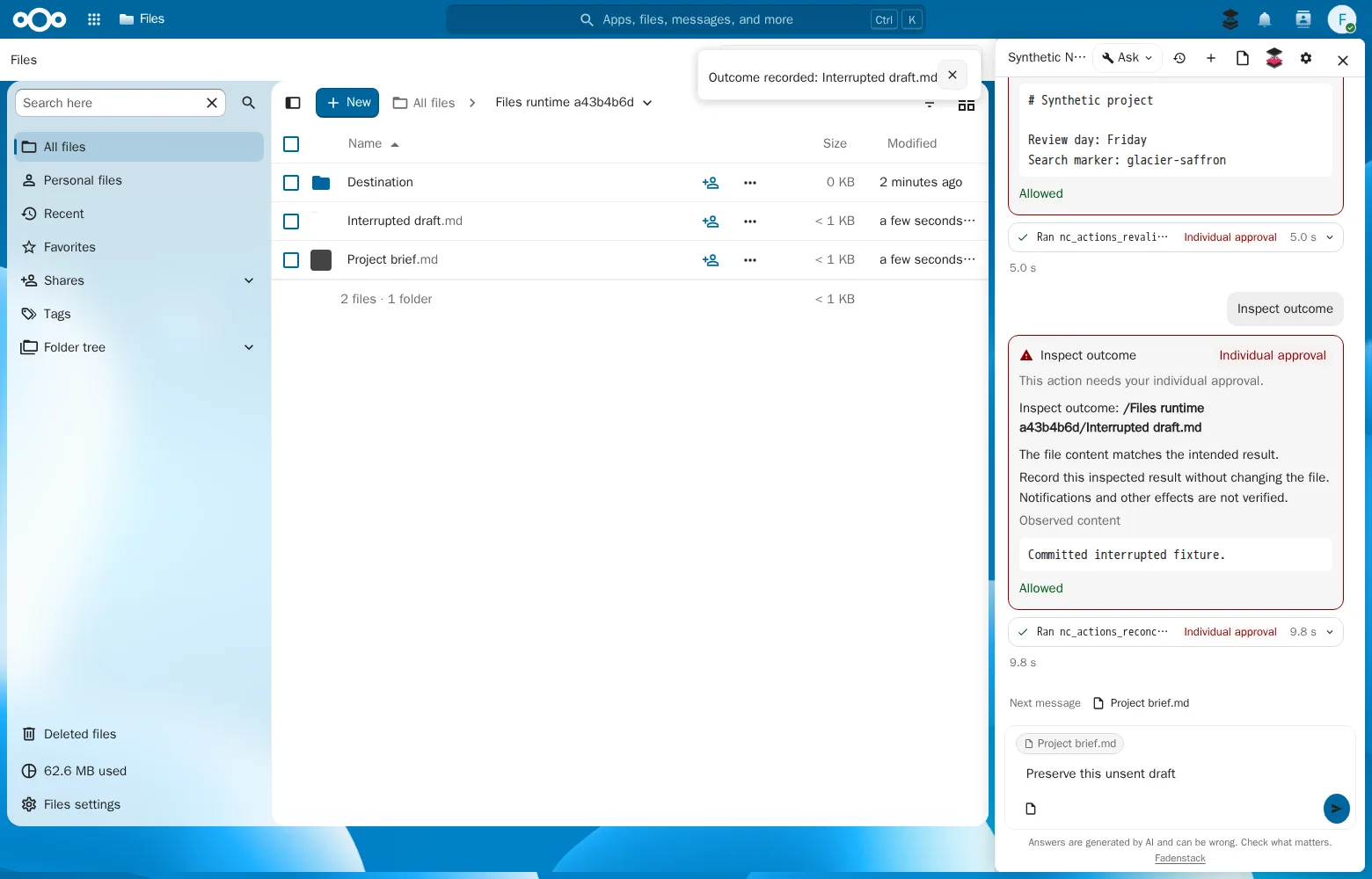
Files
Finds files by name and content, reads them, writes text files, makes folders, copies, moves and shares read-only.
Nextcloud
A chat drawer in Files, Calendar, Tasks, Contacts, Deck and Tables that answers through your organisation's Fadenstack server. It finds and reads your documents, writes only after you allow each change, and can take a change back.
Coming soon
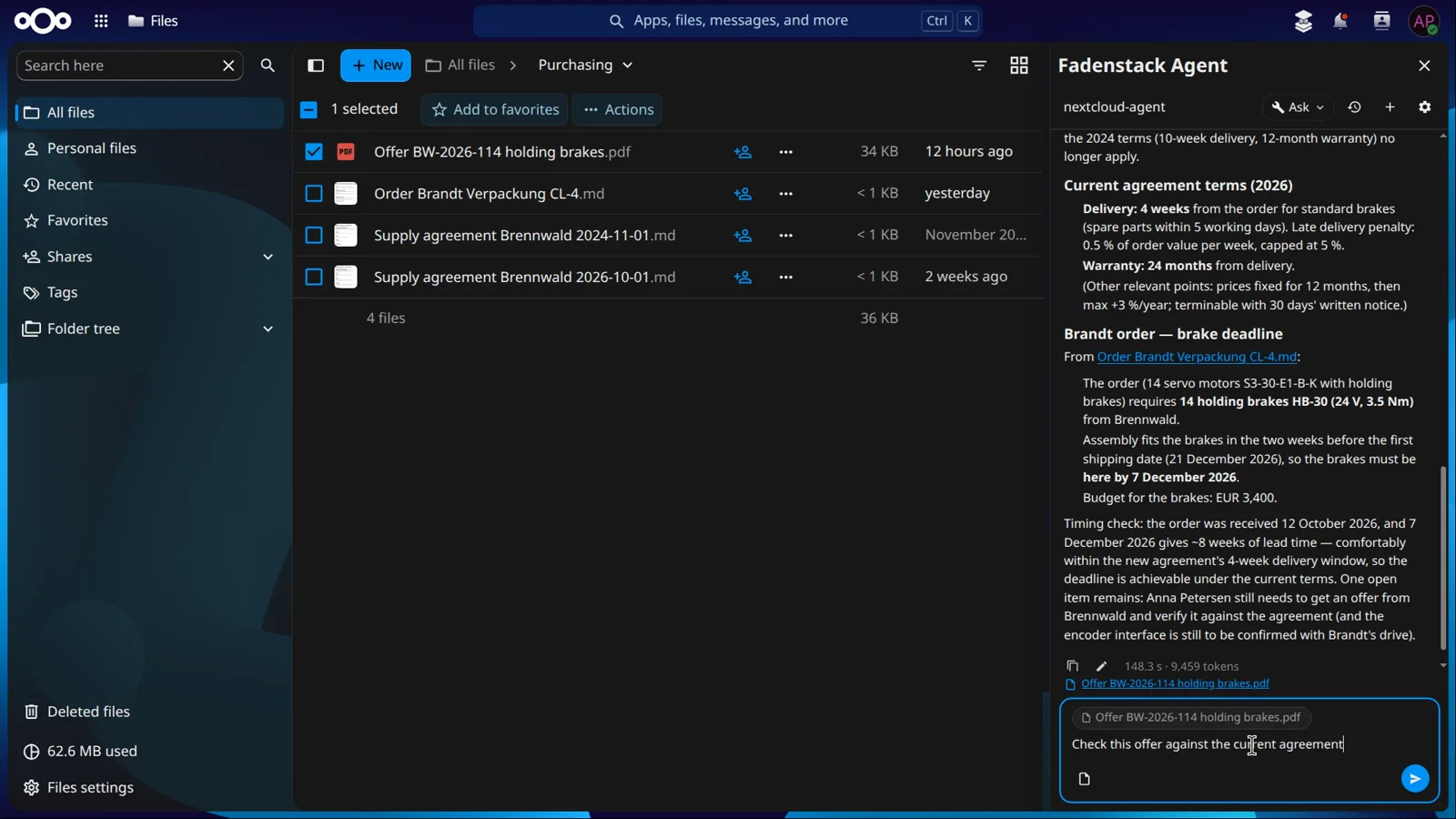
Documents by name, folder or date, with the passage it found.
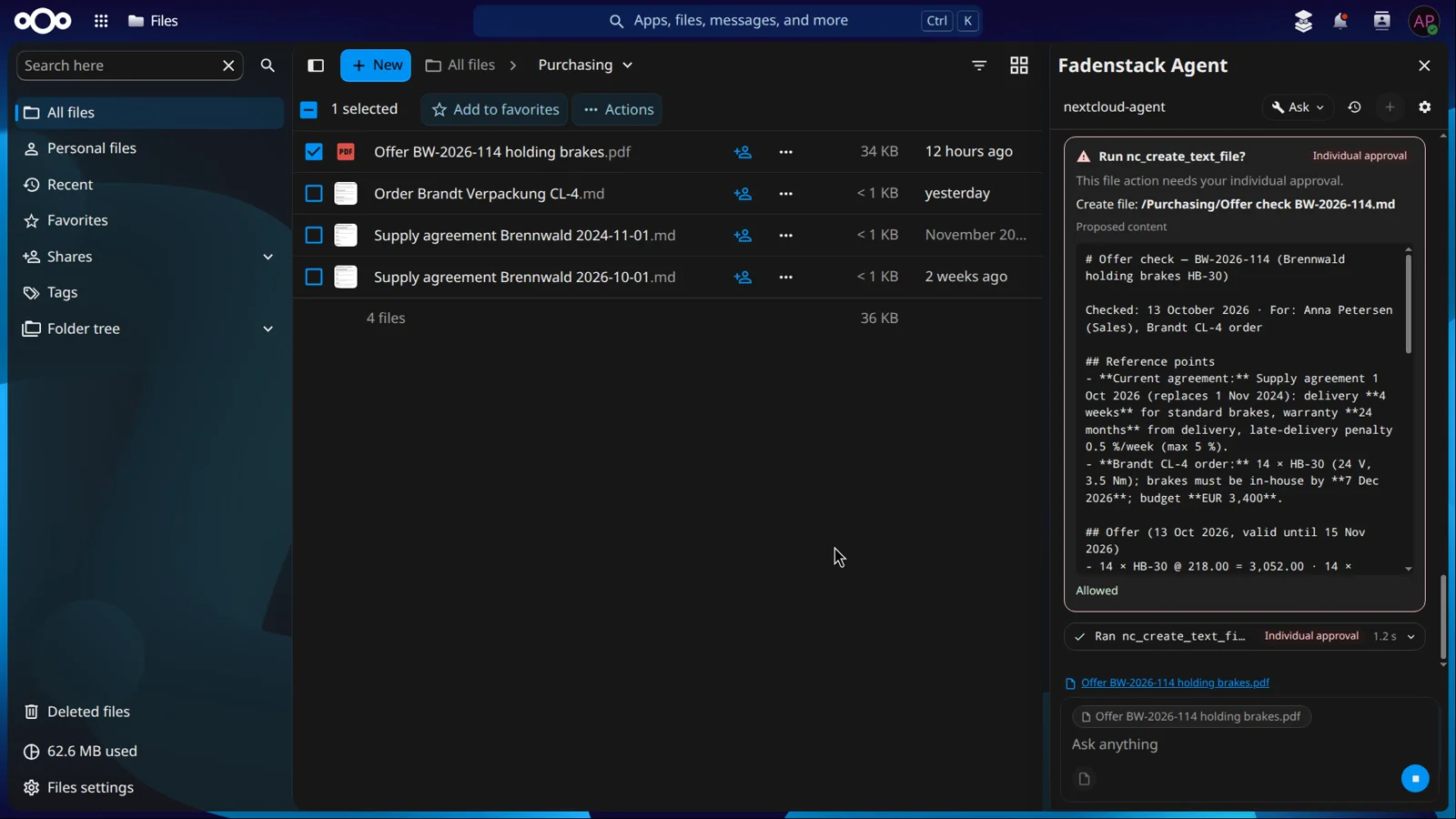
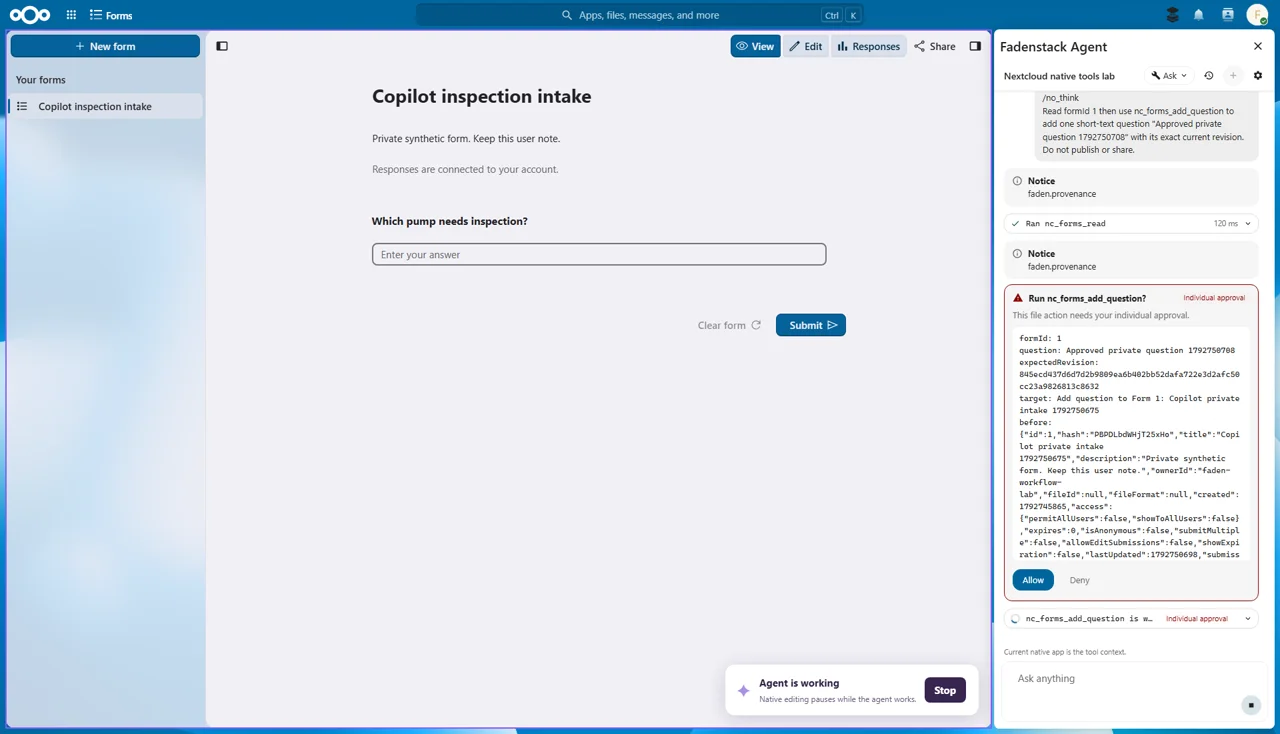
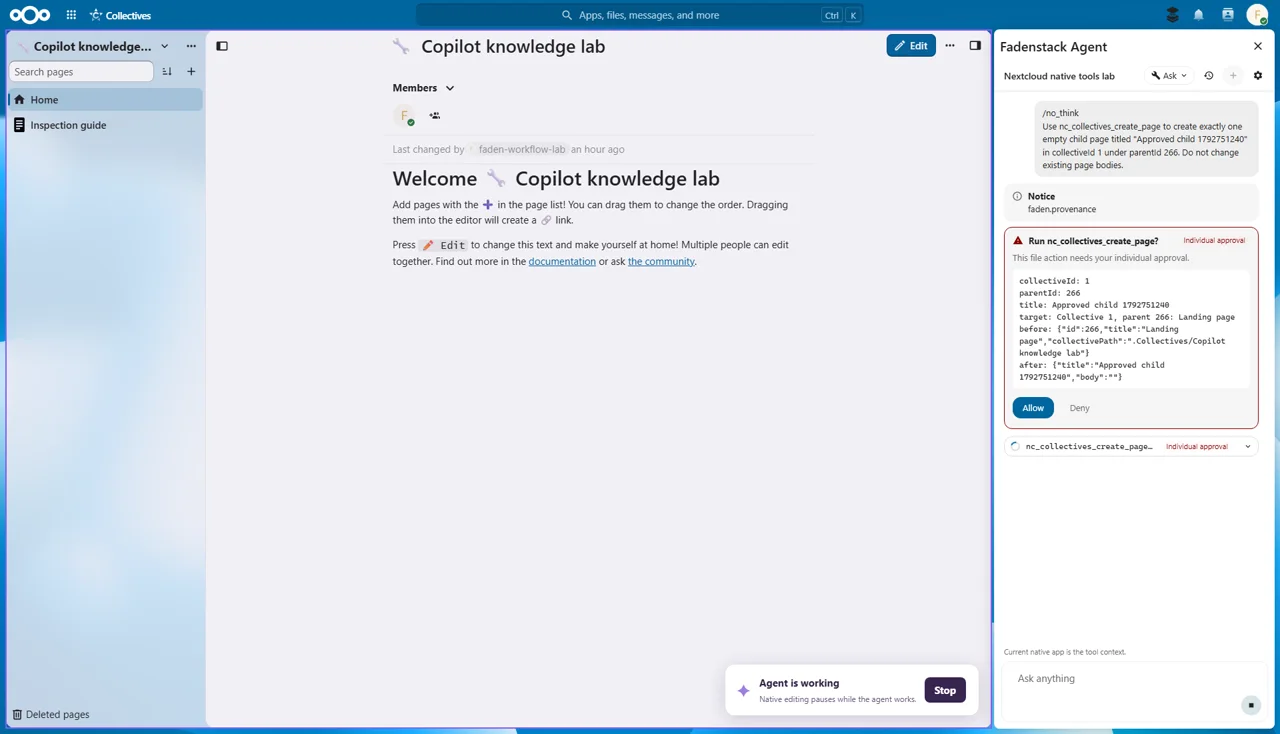
Each change waits for Allow, on a card that shows it.
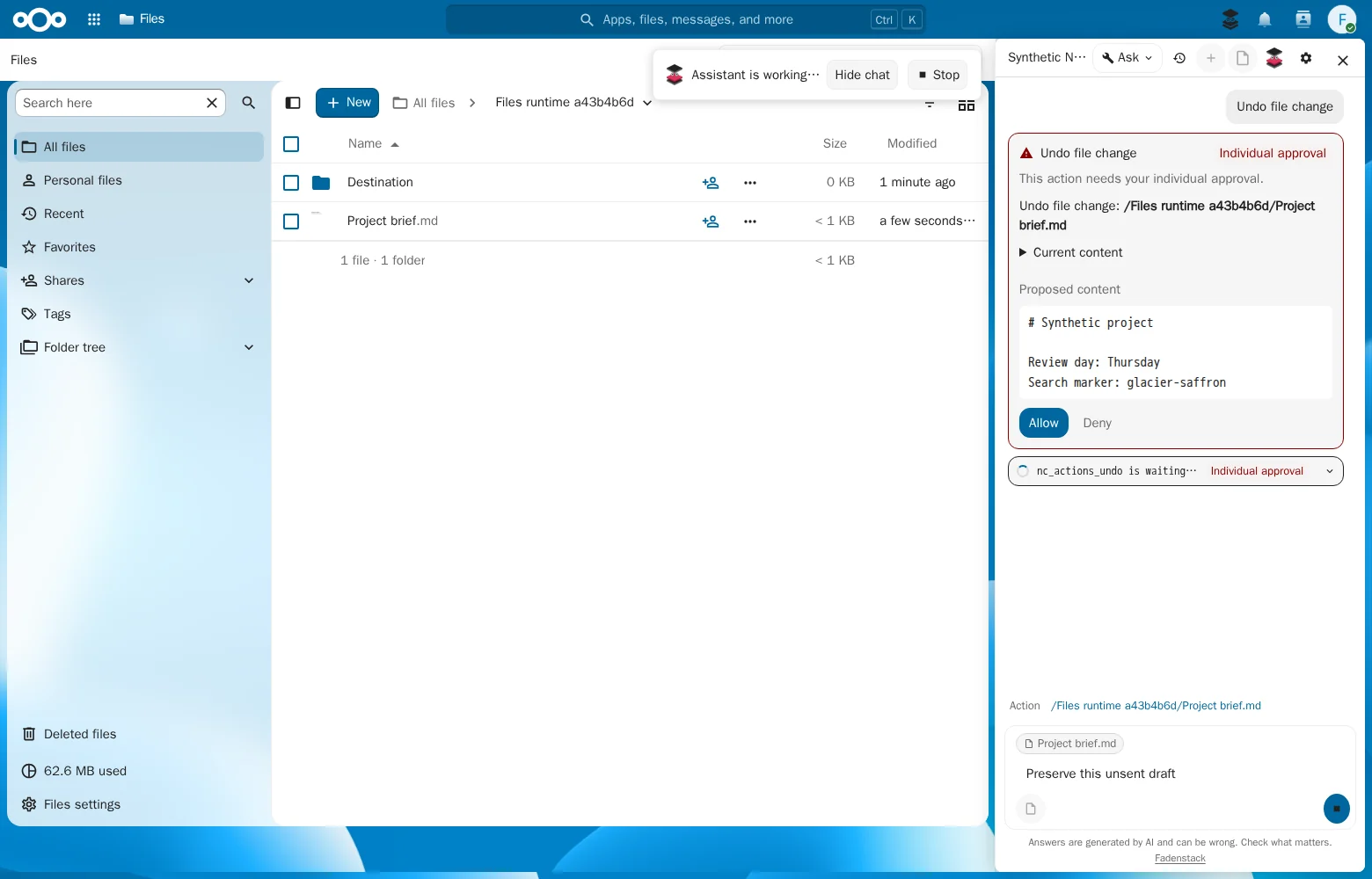
A file change can be taken back, and done again.
It reaches only what you can open yourself.
What it does
Open the drawer in Files, next to a document, or in Calendar, Deck and Tables. You sign in with your own Fadenstack account.
Find and read
Finds documents by name, by folder or by when they last changed, including files shared with you, and reads the passages that answer your question.
It asks before it writes
The agent creates or updates a file only after you allow that one change, on a card that shows the file and exactly what it will write.
AI at work
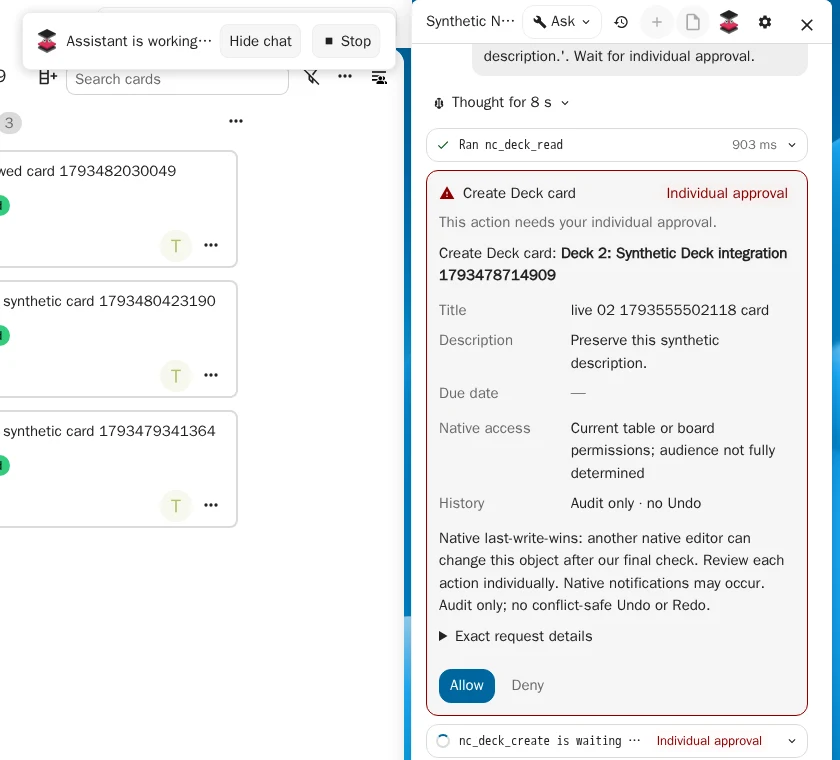
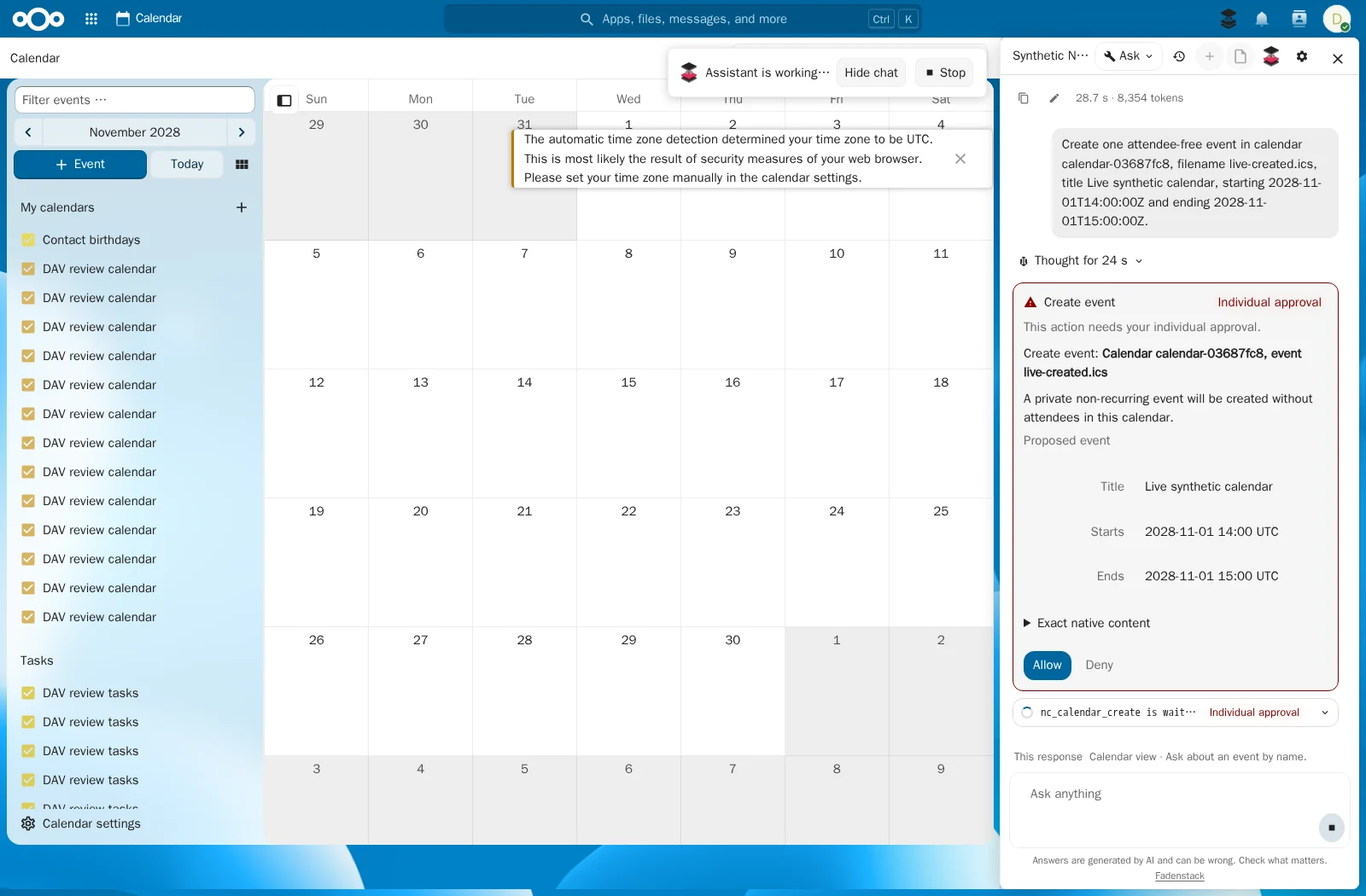
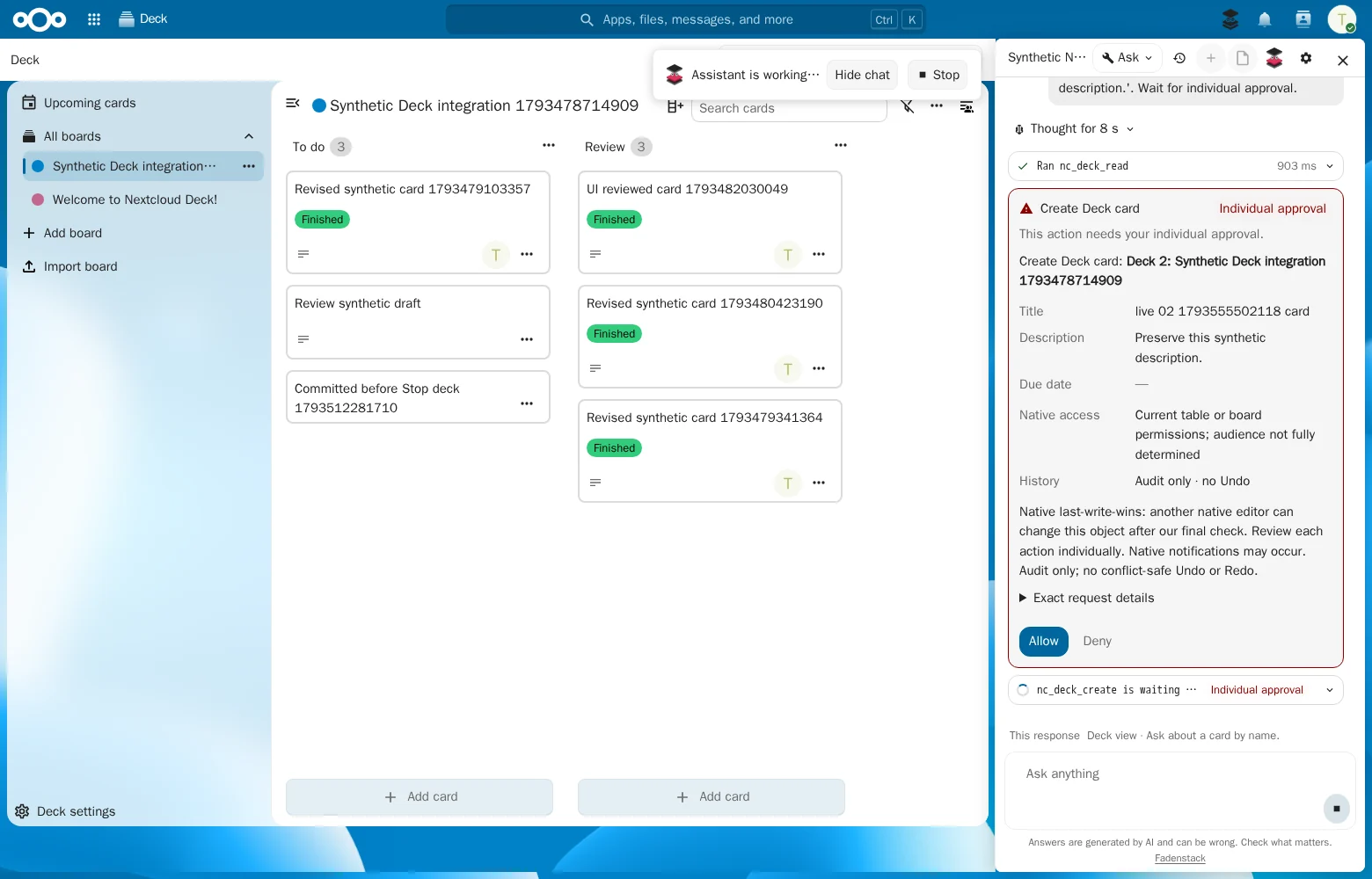
While the agent works in an app, a notice says so, with Stop right next to it. You can hide the chat and keep an eye on the work, and every change still waits on its card for your OK.
Undo and redo
Changed your mind? Ask the agent to undo its file change, and to redo it. Each step waits for your OK, and a file someone edited since is left alone.
Calendar, Tasks and Contacts
Ask for an appointment, a task or a contact, and the agent reads your calendars, task lists and address books. It creates and changes entries on a card that shows exactly what it will save.
Deck and Tables
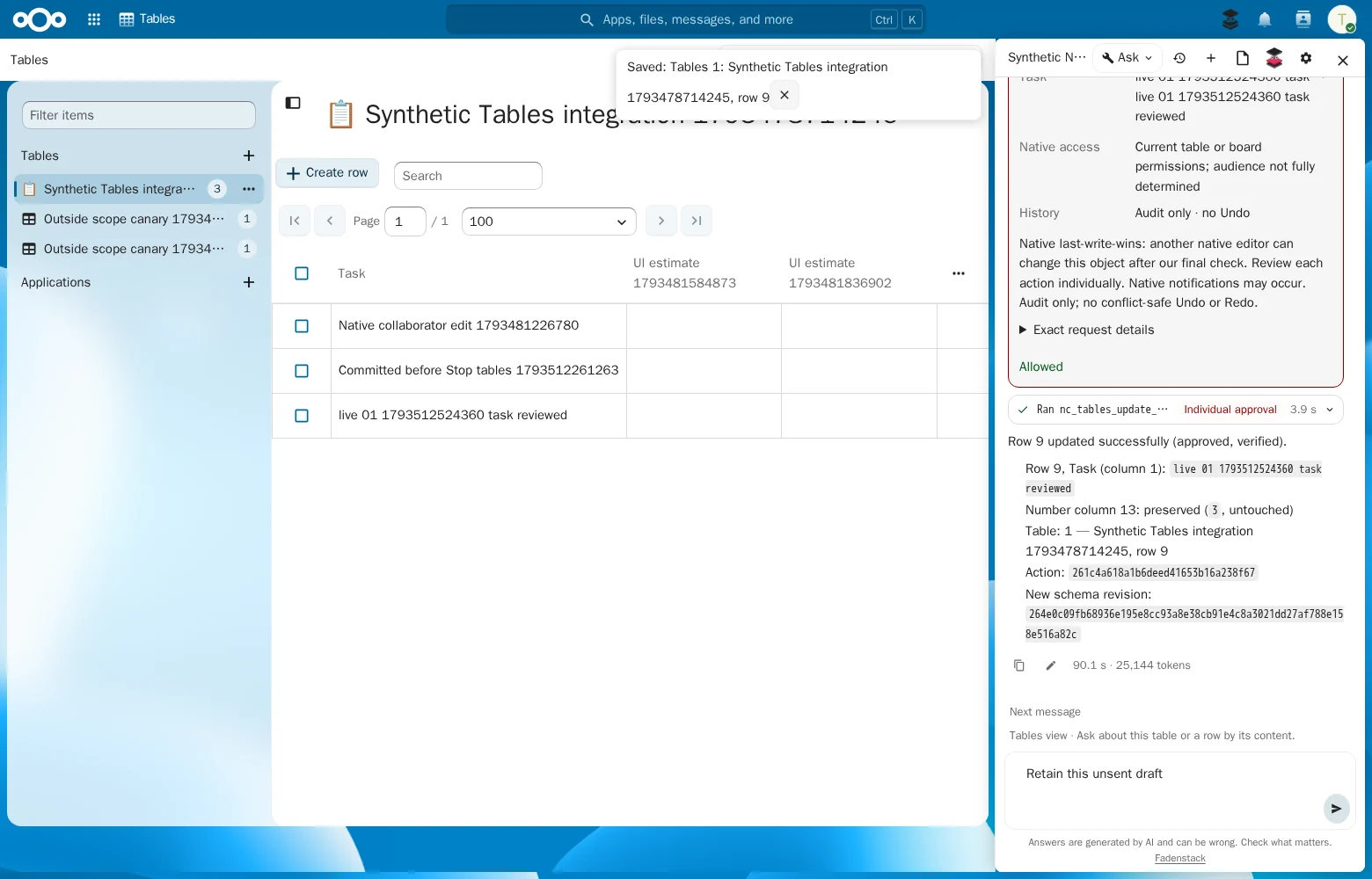
Create and move Deck cards, label and assign them, or add and update rows in Tables. Each action shows what it will do and waits for your OK.
Works in
The agent works with each app's own data and your own permissions. The apps marked Coming soon are being built; scope and timing may change.
Finds files by name and content, reads them, writes text files, makes folders, copies, moves and shares read-only.
Takes the agent's file changes back and does them again, and checks what happened after an interruption.
Reads your calendars, creates, changes and deletes events.
Reads your task lists, creates, changes and deletes tasks.
Finds and reads contacts, creates, changes and deletes them.
Reads boards, creates and changes cards, moves, assigns and labels them.
Reads tables, adds columns, adds, updates and deletes rows.
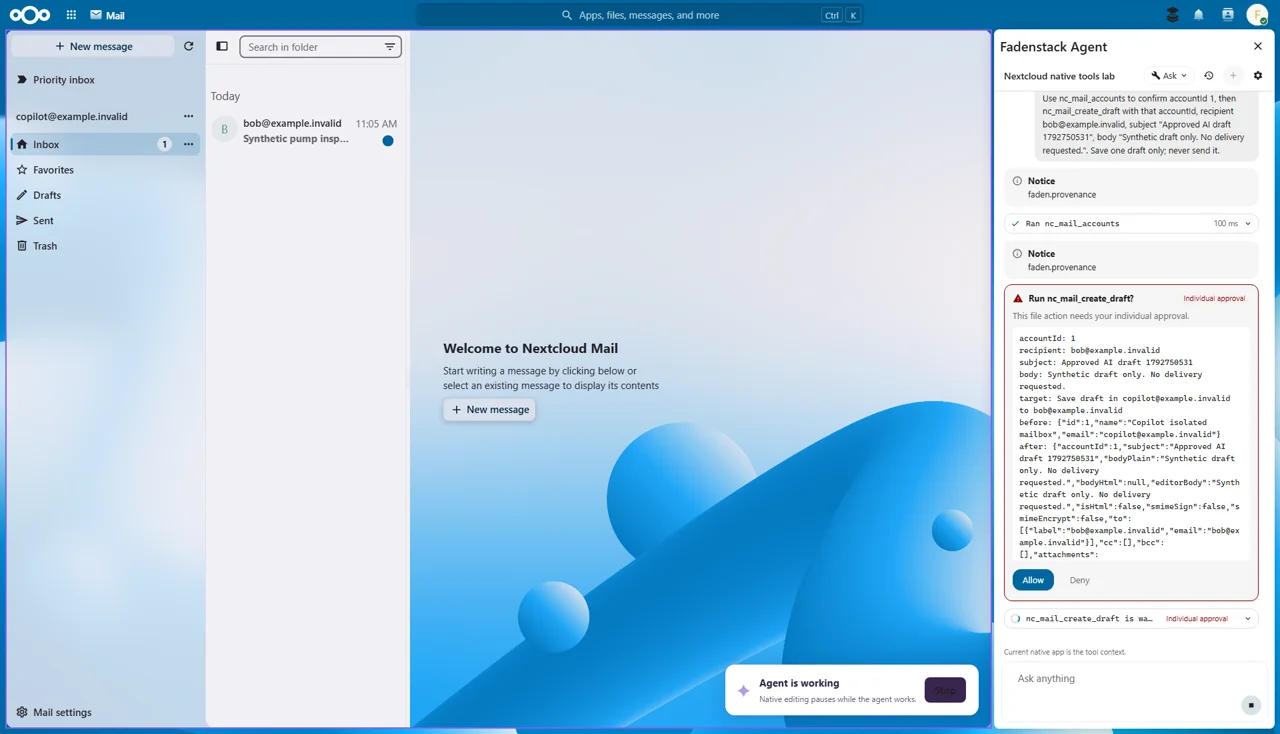
Reads mail, saves drafts and sends a draft you approved.
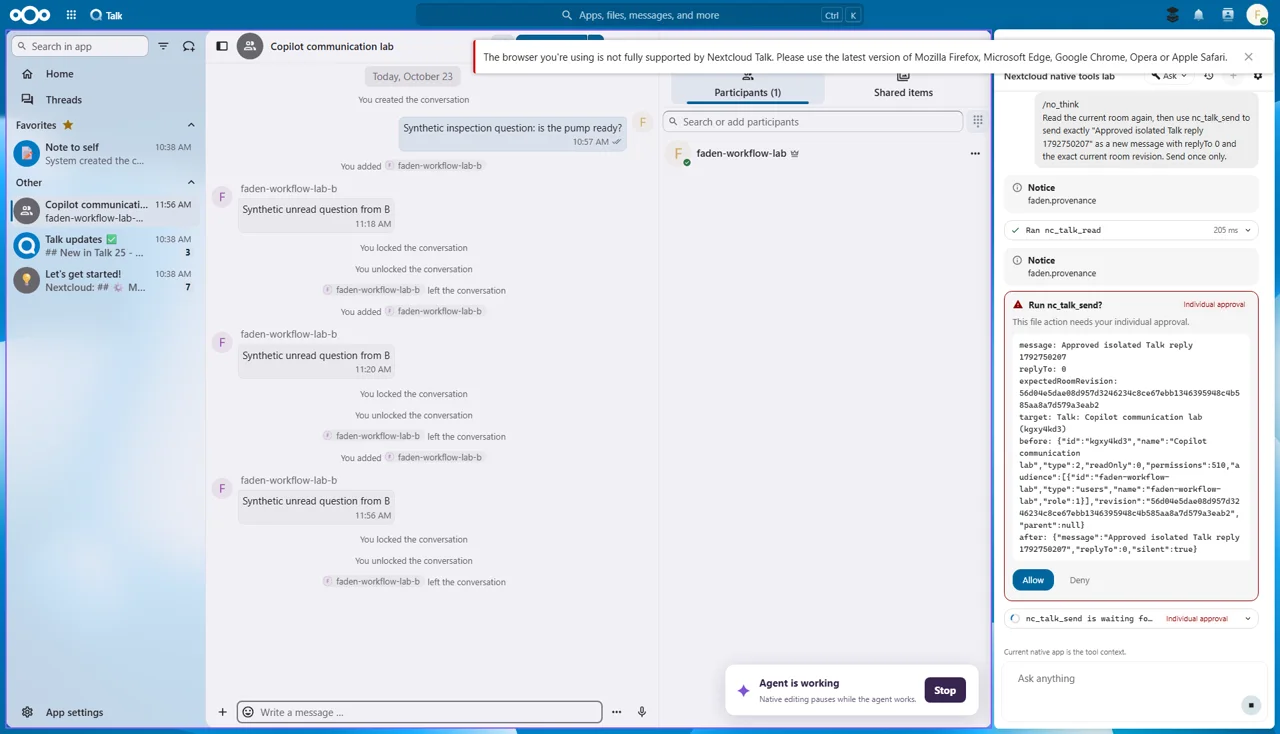
Reads conversations and sends a message.
Reads pages, creates and deletes pages.
Reads forms, creates a form and submits a response.
Reads and creates notes.
Reads and adds bookmarks.
Reads and creates stored whiteboards.
Reads your personal Flow rules, drafts and updates them.
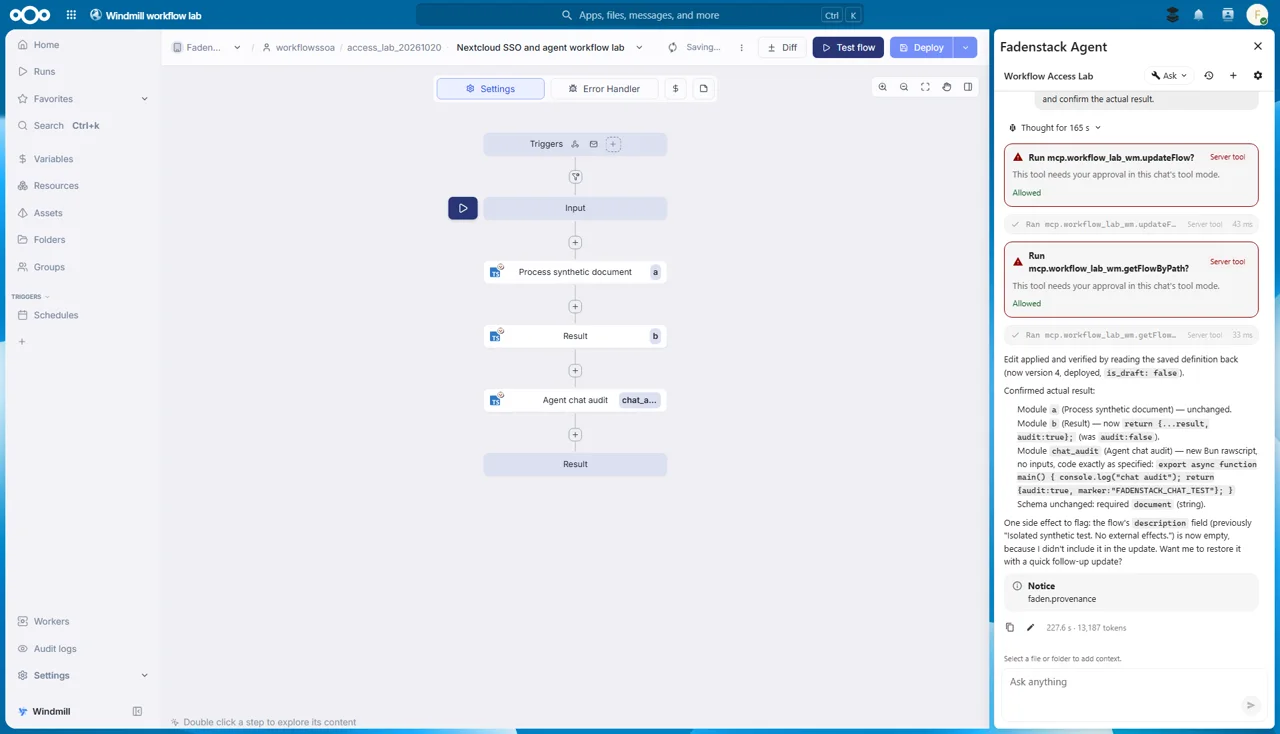
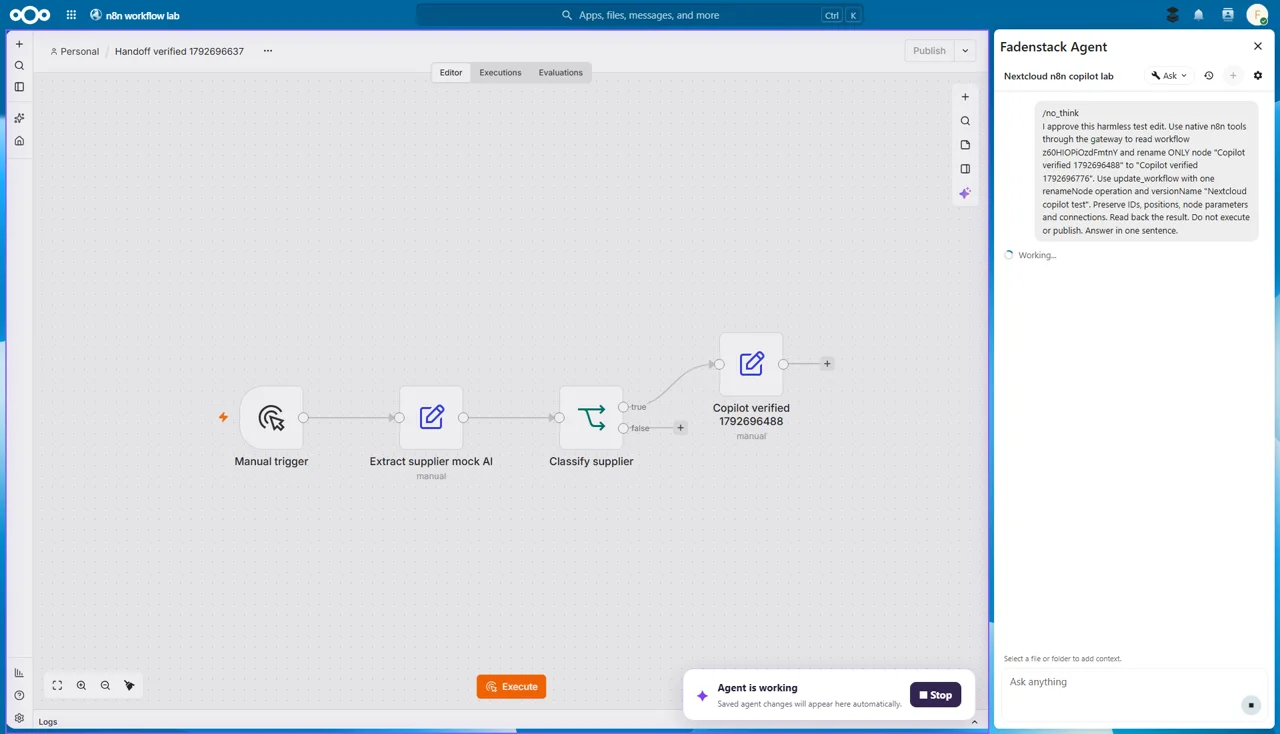
Reads workflows, drafts them and runs them.
Reads agent definitions kept in Nextcloud.
In the works
These apps already run with the agent in our test setup, each with the same notice and approval cards. They come once they pass the same checks as the apps above; scope and timing may change.
See it work
Finding an offer, checking it against the agreement, and saving a note, with an OK before every write.
2:07
The video plays from YouTube once you press play; nothing loads before.
Safe by design
The agent works with your own Nextcloud permissions and asks before it writes. IT sets it up once.
One change at a time, on a card that shows exactly what it writes.
It reaches only the files, boards and tables you can open yourself.
A new file never replaces one, and a file changed since it was read is not updated.
Your organisation decides who may use the agent and which model answers.
You see when it is working, and Stop ends the task.
Every action is recorded, in the agent's history and your server's audit log.
Get it
IT installs the app once for everyone.
The Nextcloud app comes with the first release. IT installs it and enters the server's address and the agent in Nextcloud's administration settings; no separate search or indexing service is needed.
Questions
No. It works as you, with your Nextcloud permissions, and reads only what you could open yourself.
Every write waits for your OK, and the agent never replaces an existing file with a new one.
Files, Calendar, Tasks, Contacts, Deck and Tables, with undo and redo for file changes. Mail, Talk, Collectives, Forms, Notes, Bookmarks, Whiteboard, Flow and the Windmill and n8n workflows are coming soon.
The Nextcloud app comes with the first release. Watch it work in the meantime.